
Digital Life
Organize Digital Receipts Without Turning Every Purchase into a Project
Give electronic receipts a consistent home and enough context to find the purchase record when you need it.
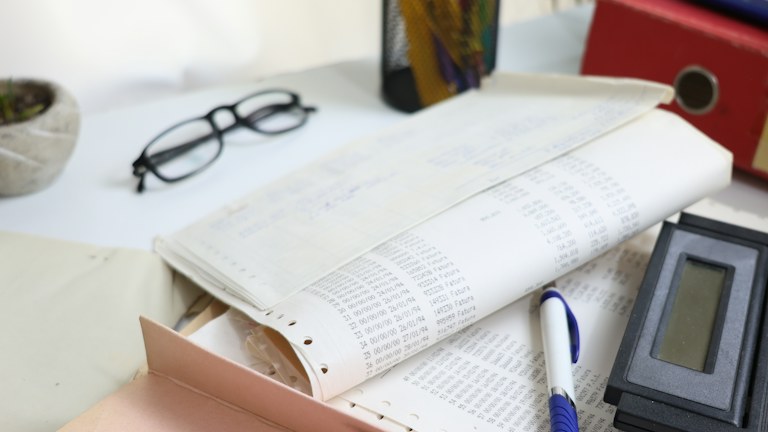
Photo: Cht Gsml / Unsplash. Stock photograph for illustration.
In this guide
A receipt is easy to ignore until you need to find one. It may be inside an email, attached to an order confirmation, stored in a retailer account, or photographed on a phone. Searching across those places can take longer than the original purchase. A manageable receipt system does not need to record every detail of everyday spending. It needs to preserve the records you have a reason to keep and make them recognizable later.
Start with practical uses such as locating an order number, checking what was purchased, or finding the paperwork for a household item. This guide is about personal organization. Requirements for tax, business, insurance, or legal records depend on your circumstances and should be established separately rather than guessed from a general filing routine.
Decide which records deserve attention
Think about the purchases you have needed to look up during the past few months. Larger household items, online orders awaiting delivery, and purchases with instructions or service paperwork often require more context than an ordinary grocery transaction. Those examples can define the first scope of your system.
Avoid promising yourself that you will immediately process every receipt. A narrow routine that you maintain is easier to trust than a complete archive with unexplained gaps. You might begin with household equipment and active online orders, then expand only if another category repeatedly creates a problem.
Keep the original purchase record when it contains information you may need later. An order summary, payment notification, and final receipt can serve different purposes. Check what each document actually says before assuming one replaces the others. File related documents together when the distinction matters.
Choose a home you can access reliably
Select one main location for the records you are actively organizing. It could be a folder in a storage service you already use or a local folder included in your existing backup routine. The important point is that you know where to look and understand who can access it.
An email folder can be a useful collection point, but remember that messages may also contain marketing material and shipping updates. If you save a receipt as a separate file, verify that the file includes the actual purchase details rather than a link to an account page. Open it once from its new location before considering the task complete.
Do not create a second archive unless it has a clear purpose. Copying the same documents into several unrelated folders can make later corrections confusing. A backup is valuable, but it should be a deliberate process rather than a collection of uncertain duplicates.
Name the purchase, not just the document
Use filenames that describe what you are likely to remember. A date, retailer, and short item description are often enough. For example, a name containing the month, shop, and desk lamp is easier to search than Receipt followed by a long random number.
Keep order numbers inside the document or in a small index if you frequently need them. Including every identifier in the filename may make it harder to read. Choose a consistent date order if you want the files to sort chronologically, and use the same vocabulary for similar items.
For purchases containing several important items, decide whether one shared record is sufficient. You do not need to split a receipt into separate files simply to make the folder look uniform. Instead, a descriptive name or a short note can explain which items it covers without altering the original record.
Capture paper receipts while they are readable
If a paper receipt belongs in your digital collection, photograph or scan it on a flat surface with even light. Include the whole receipt, and inspect the image before putting the paper away. Small text, pale printing, and folded edges can make an apparently clear photograph difficult to read when enlarged.
Check that the retailer, date, items, total, and relevant identifiers are visible. A decorative crop is less useful than a complete record. If the receipt is unusually long, several overlapping images may be easier to read than one distant photograph. Name them so the sequence is obvious.
Do not assume a digital image is always an acceptable replacement for the original paper. Keep originals when a retailer, service provider, or your own record requirements call for them. The digital version can improve retrieval even when the paper still needs a physical home.
Separate active purchases from the archive
An item awaiting delivery creates a different task from a purchase completed months ago. Consider an Active orders folder or a short list containing the item, order date, and next step. Move the record into its lasting category once the order is complete and no immediate action remains.
This separation helps you notice unresolved issues without repeatedly scanning old receipts. It also prevents an inbox from becoming a permanent storage system. If a purchase involves several communications, keep the relevant exchange with the record rather than relying on memory to reconstruct the sequence.
Use neutral status notes such as Awaiting delivery or Documents saved. Avoid inventing dates or assumptions when information is missing. A visible question mark is more useful than a confident but incorrect entry that someone else may rely on later.
Keep sensitive details out of shared views
Receipts can contain names, addresses, membership identifiers, and payment information. Before sharing a record with a household member or another person, consider whether they need the whole document. Use the access controls of your chosen storage system and avoid placing personal records in a publicly accessible folder.
If you need a redacted copy, retain the original separately and check the shared copy carefully. Covering text visually is not always the same as removing the underlying information in every file format. Use a method appropriate to the document and verify the exported result rather than assuming the first preview is safe.
Review sharing permissions when a collaboration ends or when an account changes hands. A filing system is not finished merely because its folders look tidy; the intended people should be able to find the records, and unrelated people should not have access.
Make retrieval the final test
After setting up the first batch, try finding a specific purchase without opening every file. Use the words you would naturally remember a few months later. If the search fails, adjust the naming or categories while the collection is still small.
Schedule a brief review when you already handle household paperwork. Process active items, remove clearly unnecessary duplicates only after checking them, and note any records that still need attention. Let your own retention needs guide what stays.
The best receipt routine is one that saves effort when a real question appears. You do not need a perfect history of every transaction to benefit from a clear, consistent home for the records that matter to you.